From Invoice PDFs to Intelligent Finance with Snowflake
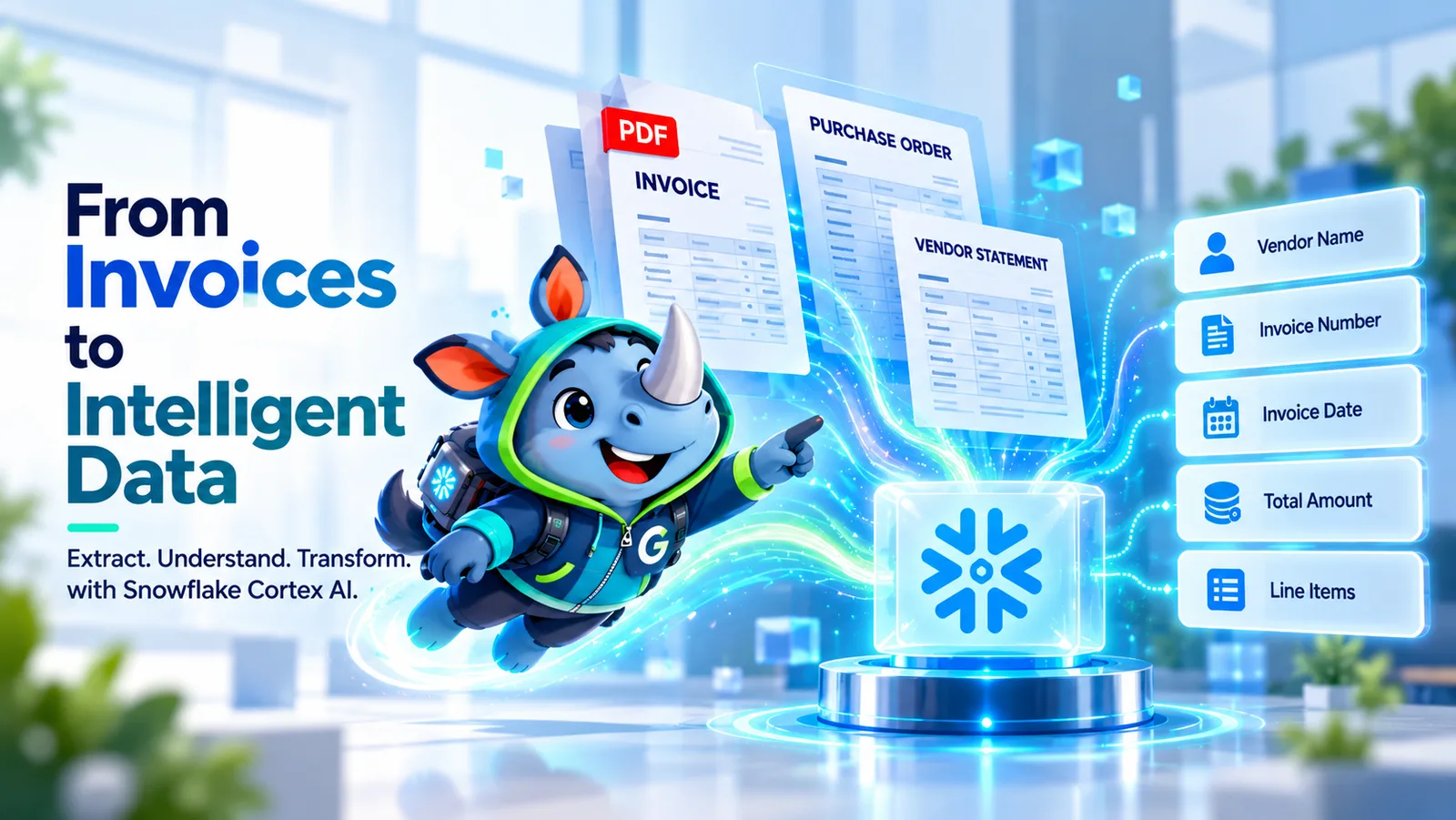
Every organization processes invoices, purchase orders, vendor statements and payment records. This article explores an illustrative scenario in which Snowflake turns fragmented financial data into an intelligent reconciliation workflow, combining document extraction, automated validation, exception detection and AI-assisted investigation.
Disclaimer: This article describes an illustrative scenario based on common enterprise data challenges. The architecture and business outcomes are indicative, not results from a specific client engagement.
Key takeaways
- Turn documents into data using Snowflake Cortex AI document-processing capabilities.
- Automate reconciliation by comparing invoice details with purchase orders, goods receipts, vendor master data and payment records.
- Prioritize financial exceptions such as duplicate invoices, amount discrepancies, missing references and vendor mismatches.
- Accelerate investigations with AI-assisted summaries of supporting evidence and potential explanations.
- Build a governed foundation with source records, reconciliation results and audit evidence.
The challenge: Finance has the data, but not the complete picture
Consider a growing enterprise that receives thousands of invoices from suppliers every month. Invoice documents arrive through email, procurement portals and shared folders. Purchase orders reside in a procurement system, goods receipts are recorded in an ERP, and payments are maintained in financial systems.
Although each system contains important information, the finance team must bring these records together to determine whether an invoice is accurate and ready for payment.
- Manual document processing: employees read invoice PDFs and enter vendor names, invoice numbers, dates and amounts into spreadsheets or accounting systems.
- Duplicate payment risk: similar invoices may arrive through different channels, making duplicate detection difficult.
- Vendor mismatches: supplier names, vendor identifiers and accounting codes may differ between source systems.
- Unexplained discrepancies: invoice totals may not match purchase orders or goods receipts, requiring manual investigation.
- Slow month-end close: unresolved exceptions accumulate and delay reconciliation and reporting.
- Limited audit traceability: investigators must collect original invoices, transaction details and supporting records.
The core problem is not simply the volume of invoices. It is the effort required to convert unstructured documents and disconnected transaction records into a consistent, explainable financial decision.
The solution: An intelligent reconciliation workflow on Snowflake
Snowflake can provide a unified data foundation for processing invoice documents, reconciling financial transactions and investigating exceptions. Cortex AI Functions can support document parsing, structured extraction, classification and text generation. These capabilities can be combined with SQL transformations and Dynamic Tables to build a repeatable data pipeline.
The workflow separates AI-assisted document understanding from deterministic financial validation. AI extracts information and helps summarize evidence; explicit business rules determine whether transaction values match and which exceptions require review.
| Business need | Snowflake capability | Role in the workflow |
|---|---|---|
| Ingest invoice documents | Internal/external stages and supported ingestion processes | Make invoice files available for processing |
| Read invoices | AI_PARSE_DOCUMENT | Extract document content and useful layout information |
| Extract invoice fields | AI_EXTRACT | Extract vendor details, invoice numbers, dates, amounts and line items |
| Transform financial records | SQL and Dynamic Tables | Standardize fields, join source records and maintain derived datasets |
| Validate transactions | SQL-based reconciliation rules | Compare invoice values with purchase orders, receipts and payment records |
| Investigate exceptions | Cortex AI Functions | Summarize evidence and propose potential explanations |
| Report and monitor | BI tools or custom application | Display exceptions, review status and reconciliation results |
| Govern access | Snowflake access controls and governance capabilities | Control access to sensitive financial data |
The exact implementation depends on source systems, document formats, account configuration and required processing latency.
How the data flows
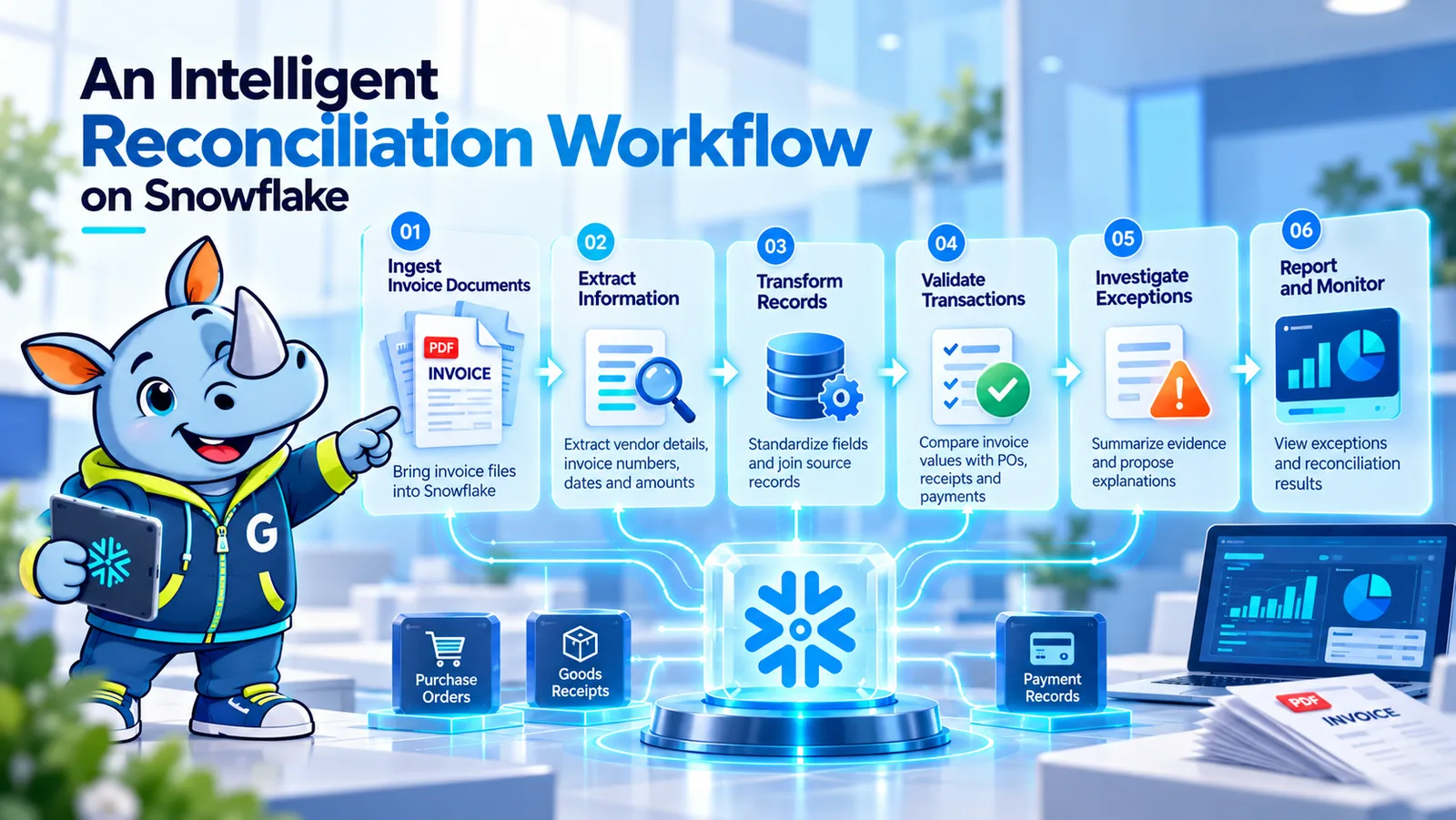
1. Ingest. Bring invoice PDFs, purchase orders, receipts, vendor records and payments into Snowflake, keeping the original invoice as source evidence.
2. Extract. AI_PARSE_DOCUMENT reads each invoice and AI_EXTRACT pulls out vendor, invoice number, dates, totals and line items.
3. Standardize. SQL and Dynamic Tables align vendor identifiers, references, dates and currencies across every source.
4. Reconcile. Explicit SQL rules compare invoices with purchase orders, receipts, vendor master and payments, then assign a status.
5. Investigate. Cortex AI Functions summarize the evidence for each exception into a short brief for the reviewer.
6. Report. A reporting layer shows exceptions, aging and resolution status so teams can prioritize reviews.
Each step is explained in more detail below.
1. Ingest: Preserve the original financial evidence
Invoice PDFs, scanned documents, purchase orders, goods receipts, vendor master records and payment transactions are brought into Snowflake through appropriate ingestion mechanisms. The original invoice is retained as source evidence, with metadata such as file name, ingestion timestamp, source system and processing status.
Keeping a reference to the original document allows reviewers to investigate a discrepancy without relying exclusively on extracted AI output.
2. Extract: Convert invoice documents into structured data
Snowflake Cortex AI Functions help interpret invoice documents. AI_PARSE_DOCUMENT can extract document content while preserving useful layout information. AI_EXTRACT can then extract defined fields, such as:
- Supplier name and vendor reference
- Invoice number and invoice date
- Purchase order number
- Currency and invoice total
- Tax amount and payment terms
- Line-item descriptions, quantities and amounts
The extracted information is stored in a structured format for downstream processing. Missing fields, ambiguous values and low-confidence results can be routed for human review, while the original document remains available for verification.
3. Standardize: Build consistent financial records
The extracted invoice data is combined with structured financial records from procurement, ERP and payment systems. SQL transformations standardize vendor identifiers, invoice references, dates, currencies and numeric values. Duplicate source records are handled according to defined business rules.
- Raw documents and source records
- Standardized invoice and transaction data
- Reconciliation results and exception records
Dynamic Tables can maintain derived datasets according to configured target-lag and refresh behavior. Actual freshness depends on the selected configuration and workload.
4. Reconcile: Apply explicit financial validation rules
Once the records are standardized, Snowflake SQL can compare invoices against corresponding financial transactions.
- Invoice-to-purchase-order matching: compare invoice quantities, unit prices and totals with the approved purchase order.
- Invoice-to-receipt matching: verify invoiced quantities against recorded goods or services received.
- Duplicate detection: identify repeated invoice references for the same vendor, including potential duplicates with different formatting.
- Vendor validation: compare extracted supplier details with the approved vendor master.
- Payment validation: determine whether an invoice has already been paid or whether a corresponding payment record exists.
The system assigns a reconciliation status such as Matched, Review Required or Unmatched according to predefined rules and tolerances. A potential duplicate or amount mismatch is an exception to investigate, not automatic proof of fraud or an incorrect payment.
5. Investigate: Use AI to explain the exception
For each exception, the system assembles relevant source evidence: extracted invoice values, purchase order details, receipt quantities, vendor master information and payment history. Cortex AI Functions can help summarize these records into a concise investigation brief.
Illustrative exception: Invoice total mismatch
- Invoice total: 12,500
- Purchase order total: 12,000
- Difference: 500
- Validation status: Review Required
- Supporting evidence: Invoice line items and purchase order details
- Suggested investigation: Check whether the invoice includes an additional charge that is not present in the purchase order.
The AI-generated explanation is a proposed interpretation of the available evidence, not a final accounting determination. The reviewer can open the original documents, verify the calculation and record the resolution.
6. Report: Turn exceptions into actionable work
A reporting layer can present a consolidated view of the reconciliation process.
- Total invoices received and processed
- Matched versus unmatched invoices
- Exceptions by type, vendor and business unit
- Potential duplicate invoices awaiting review
- Total value of transactions requiring investigation
- Exception aging and resolution status
- Recurring discrepancies by supplier or source system
Rather than treating every exception equally, teams can prioritize reviews based on financial exposure, business rules and operational urgency.
What each team gets
| Team | Question answered | Business value |
|---|---|---|
| Accounts payable | Which invoices require review before payment? | More focused invoice processing |
| Procurement | Which invoices do not align with purchase orders or receipts? | Faster identification of purchasing discrepancies |
| Finance | Which transactions remain unreconciled? | Better visibility into close activities |
| Internal audit | What source evidence supports each exception? | More traceable investigations |
| Data engineering | Which source feeds or transformation rules produce discrepancies? | Improved data quality monitoring |
| Finance leadership | Which suppliers and exception types account for the largest outstanding values? | Better operational oversight |
Governance and financial controls built in
- Role-based access: restrict invoice documents, bank-related information and sensitive supplier data to authorized users.
- Source traceability: maintain references to original documents, source transactions and transformation logic.
- Deterministic validation: use explicit SQL rules and approved financial tolerances for matching decisions.
- Human review: route ambiguous extractions and material discrepancies to authorized finance employees.
- Controlled automation: do not automatically approve or release payments solely because an AI model considers an invoice valid.
- Audit history: record exception status changes, reviewer decisions and relevant processing metadata.
- Operational monitoring: track failed extractions, incomplete source feeds, refresh failures and unresolved exceptions.
Access controls, data retention requirements and applicable financial policies must be designed into the implementation. AI-generated summaries should not replace original source evidence or required approval records.
Lessons learned
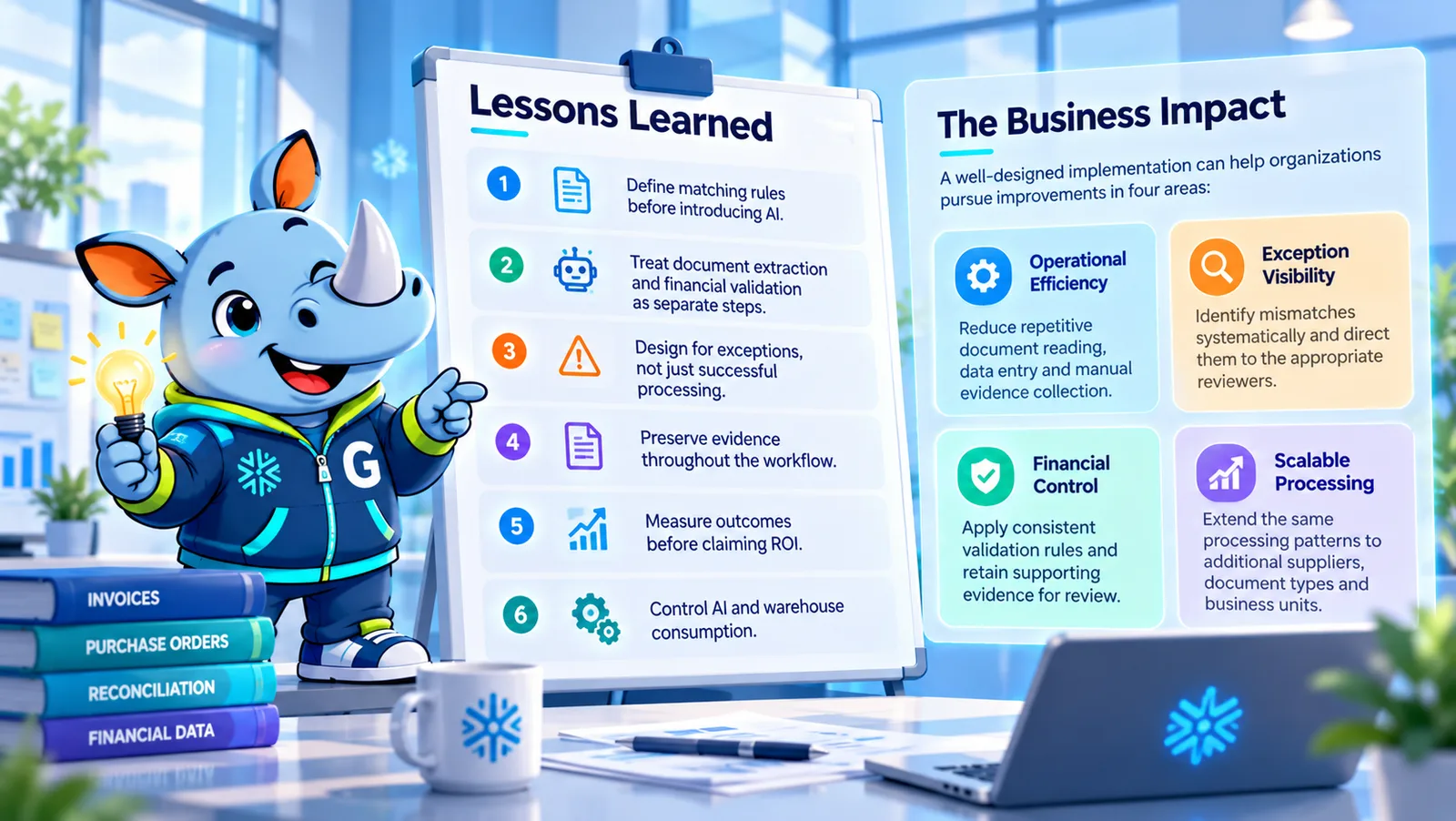
1. Define matching rules before introducing AI. Agree on vendor identifiers, duplicate-detection criteria, currency handling, tax treatment and acceptable price or quantity tolerances.
2. Separate extraction from validation. An AI model may extract a value incorrectly, so independently validate it against authoritative transaction records.
3. Design for exceptions. Missing fields, unsupported formats, conflicting references and ambiguous line items need explicit review paths.
4. Preserve evidence. Store source document references, extracted fields, validation results and reviewer resolutions.
5. Measure before claiming ROI. Establish baselines for processing time, exception-resolution time, extraction accuracy and reconciliation backlog.
6. Control consumption. Test representative volumes, monitor costs and configure refresh behavior according to business requirements.
The business impact
A well-designed implementation can help organizations pursue improvements in four areas:
- Operational efficiency: reduce repetitive document reading, data entry and manual evidence collection.
- Exception visibility: identify mismatches systematically and direct them to the appropriate reviewers.
- Financial control: apply consistent validation rules and retain supporting evidence for review.
- Scalable processing: extend the same processing patterns to additional suppliers, document types and business units.
These are intended benefits of the proposed architecture, not guaranteed results. Actual outcomes depend on document quality, source-system integration, matching rules, AI extraction performance and human-review requirements.
Final thoughts
The next step in financial data engineering is not simply to move invoices into a data warehouse. It is to connect document understanding with reliable transaction validation and explainable business workflows.
Snowflake provides a foundation for combining structured financial records with document intelligence through Cortex AI Functions, SQL transformations and Dynamic Tables.
For finance teams, this approach can transform reconciliation from a largely manual comparison exercise into a governed process for identifying, investigating and resolving financial exceptions.
The objective is not to remove human judgment from finance. It is to give finance professionals the evidence, consistency and visibility they need to make decisions with greater confidence.
Frequently asked questions
Learn more about modern data engineering
Snowflake Cortex AI Functions and Dynamic Tables provide building blocks for turning unstructured business documents into structured, governed data workflows. Genufy TechWorks helps organizations design and implement data engineering and analytics solutions that connect source systems, improve data quality and support more informed business decisions.
Ready to modernize your financial data workflows? Connect with the Genufy TechWorks data team to explore an intelligent reconciliation pilot.